I’m sure you’ve seen the argument before: “If anyone can now vibecode their own software, why haven’t we seen any viable replacements for industry standard tools like Photoshop?”
And for a while that argument seemed like a solid line of reasoning: you could just point to the continuous absence of viable candidates to prove your point.
But it missed two key factors: time and pressure. Sure, ChatGPT has been around for a while now, but agentic coding has only been useful for a relatively short time. And development still goes layer by layer, debug by debug, test by test. It still takes serious human commitment and persistence.
The moral argument around “vibe coding” was never that interesting to me. The much more interesting question was always the technical one.
Not “should this be done” but “can this be done” at all?
And by the looks of it, in October 2026 the answer is a resounding “hell yeah!”. We don’t just have one but multiple candidates.
I’m tracking as many of these as I can find, and it seems that every second day I stumble over another one. Whatever nitpicks you may have about their current state or functionality, the core argument outlined above is dead in the water, by the reverse logic:
The mere existence of these tools is proof that it can be done.
And honestly, I think Photoshop is the perfect type of software for proving this type of “agentic engineering” actually works, because we all know what a Photoshop clone should look and feel like. It’s by no means a simple application, but perhaps more importantly, a viable, workable clone can be easily verified not just via UI and core functionality, but even more importantly, via the PSD standard.
The list of things it has to be able to do reliably is long, complex and diverse: layers, blend modes, smart objects, adjustment layers, layer effects, font rendering, etc. In short, all the nitty gritty stuff where a one-shot app would show its sloppy hand immediately.
And sure, if you push any of these candidates hard enough within certain esoteric functions or edge-cases, you will find issues. But that doesn’t disprove the proof of concept.
In fact, many of these tools I’ve tried already seem way beyond the point of being mere rickety POCs. And whatever bugs there are today, they will probably get fixed tomorrow.
So instead of trying to do a nitpicky review of all the details, which are bound to shift faster than I can update this blog post, let’s take a look at some of these projects from a pragmatic perspective.
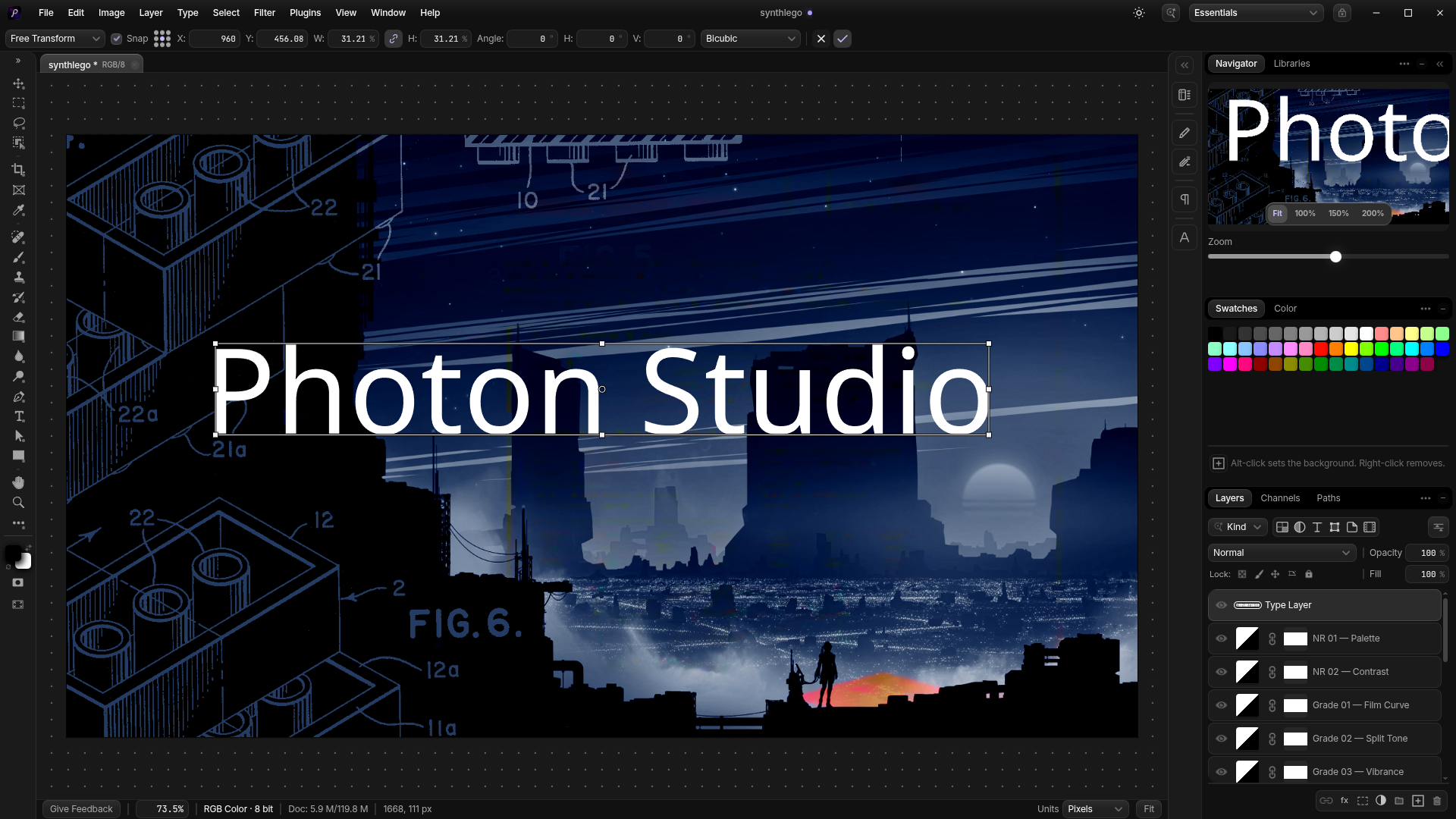
Photon Studio
This is probably one of the most polished and feature-packed I’ve tried so far. Granted, it’s not open source, but it’s free, comes with binaries for macOS, Windows and Linux.
Apart from core Photoshop features, what is interesting about Photon Studio is that it offers a bunch of forward-looking settings like being able to use Local AI models and integrations with all modern agentic harnesses, so you can let your agent drive it.
As for my use case it has been able to load and save all my PSDs without any issues, with smart objects, blend modes and layer effects fully intact.
OmaPhoto
Next up we have OmaPhoto, which is a Linux port of Compositor by Wonder Assembly.
While not as feature rich as Photon Studio yet, it manages to import my PSDs just fine, and at least it informs me honestly about what type of feature or adjustment parameters it doesn’t support yet.
Here is a screenshot of the same PSD as above. It flattened my Smart Object and lost various adjustments, which isn’t ideal, but that may just get fixed in the next update.
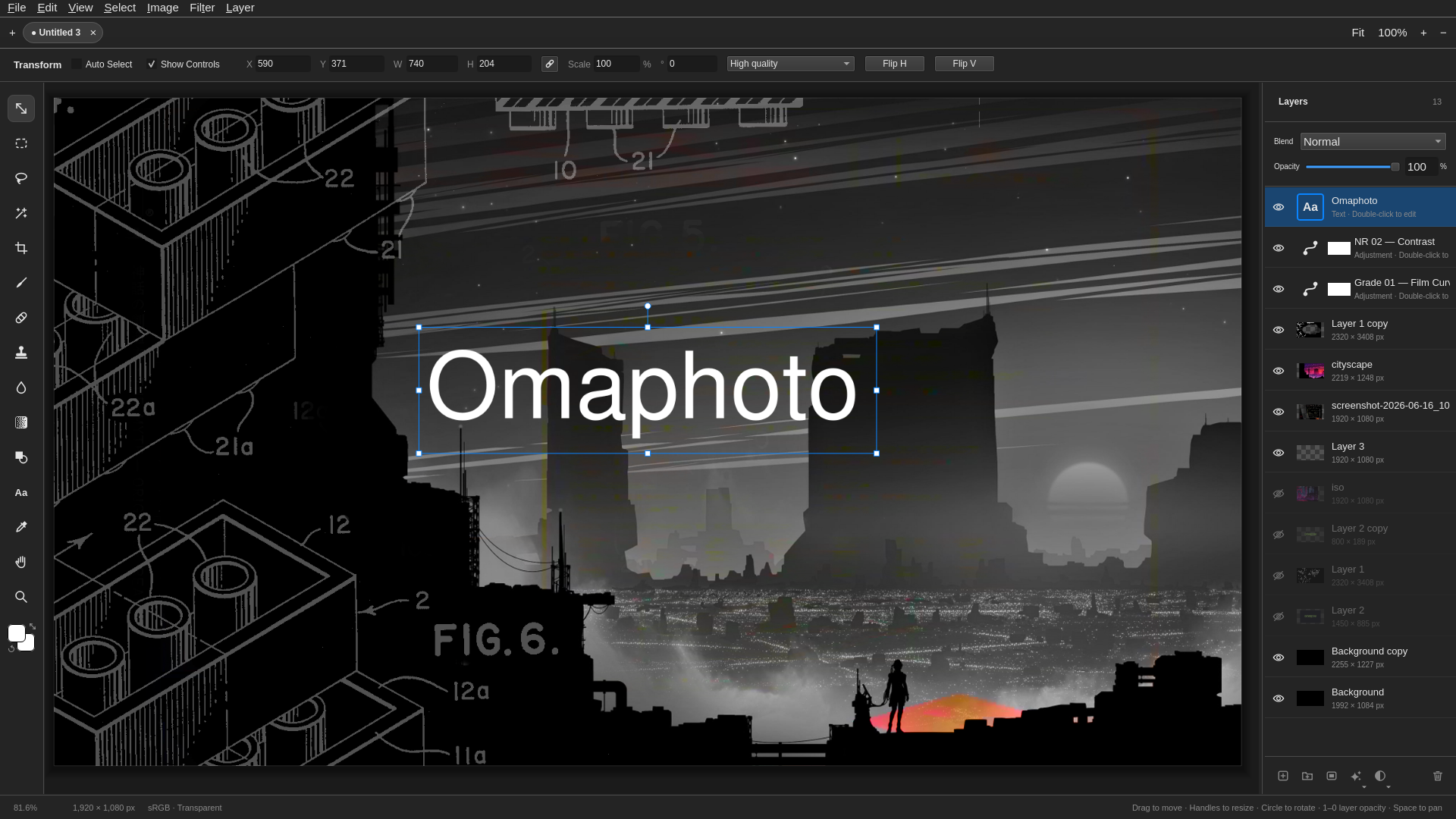
Also, and this is not a nitpick with OmaPhoto itself but more with Compositor, it relies heavily on its own .comp file format, which is okay if you do most of your work with it, but for true interop with Photoshop it’s a bit tricky, since at least for now you can’t easily export back to PSD.
Also, I spotted a bug with mouse cursor rendering but that may just be an Nvidia/Wayland quirk.
PhotoCraft
Next up we have PhotoCraft, “an open-source, clean-room reimplementation of Adobe Photoshop, rebuilt in pure Rust”. And it imports our test PSD just fine, albeit with some weird interpretation of my color adjustments:
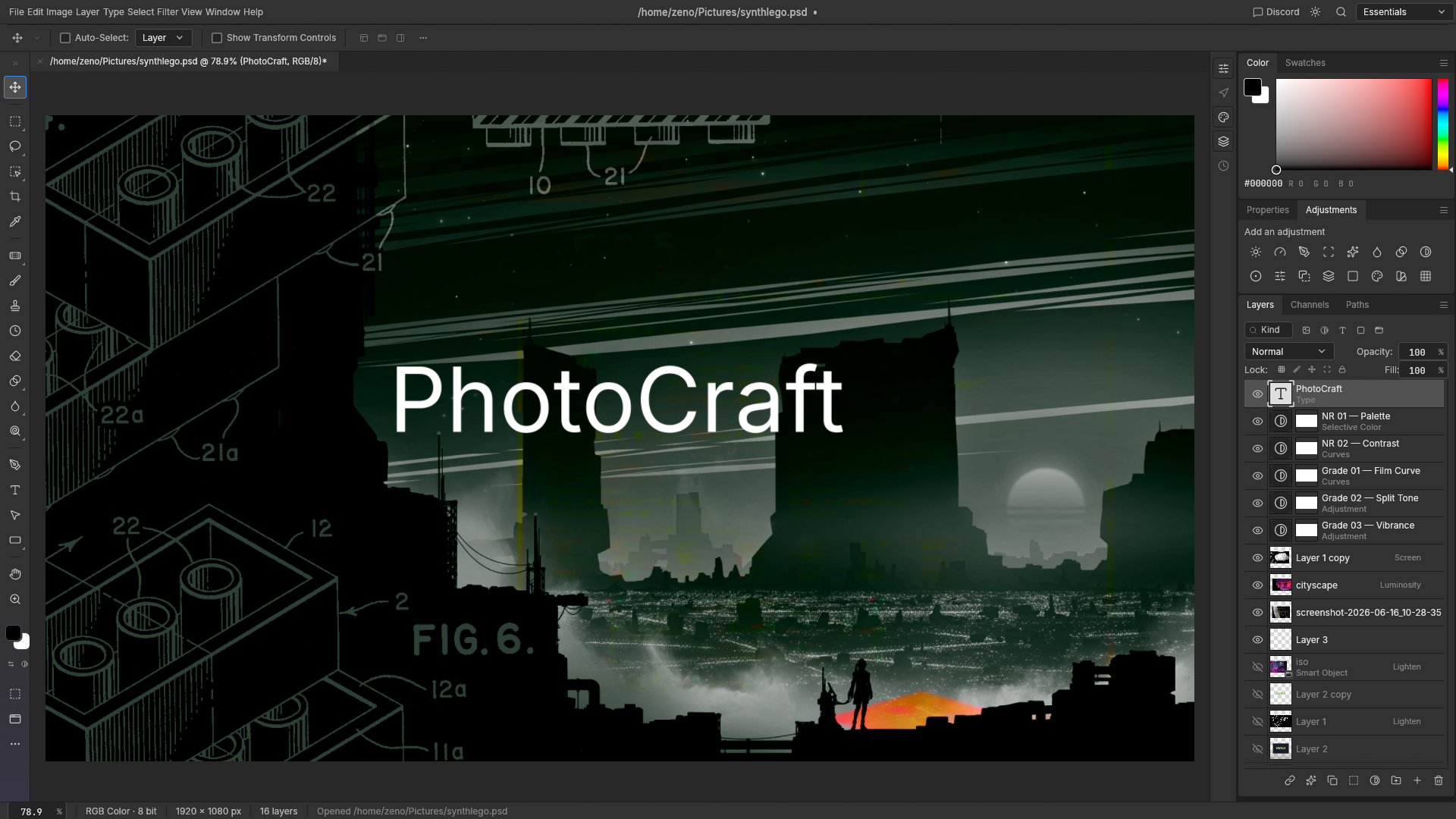
Photopea, the famous web-based Photoshop alternative from the pre-AI era, and somewhat of a gold standard of 1:1 Photoshop parity doesn’t have that issue. So I think PhotoCraft needs some work on that particular front.
As for my Smart Object, PhotoCraft didn’t flatten it which was nice to see, but I wasn’t able to edit it or create new Smart Objects, although I think according to the docs that should work. Perhaps just user error.
At any rate, it exports the PSD just fine.
PhotoSuite
Last but not least, we have PhotoSuite, another open-source one that promises “1:1 native PSD/PSB compatibility”.
In terms of UI parity, this is probably the closest to Photoshop, which is excellent.
Colors after import seem mostly fine. I can create Smart Objects but am not able to edit them. Note: double-clicking is the expected behavior in Photoshop, which should open another tab for that particular object. Both Photon Studio and Photopea handle it just fine.
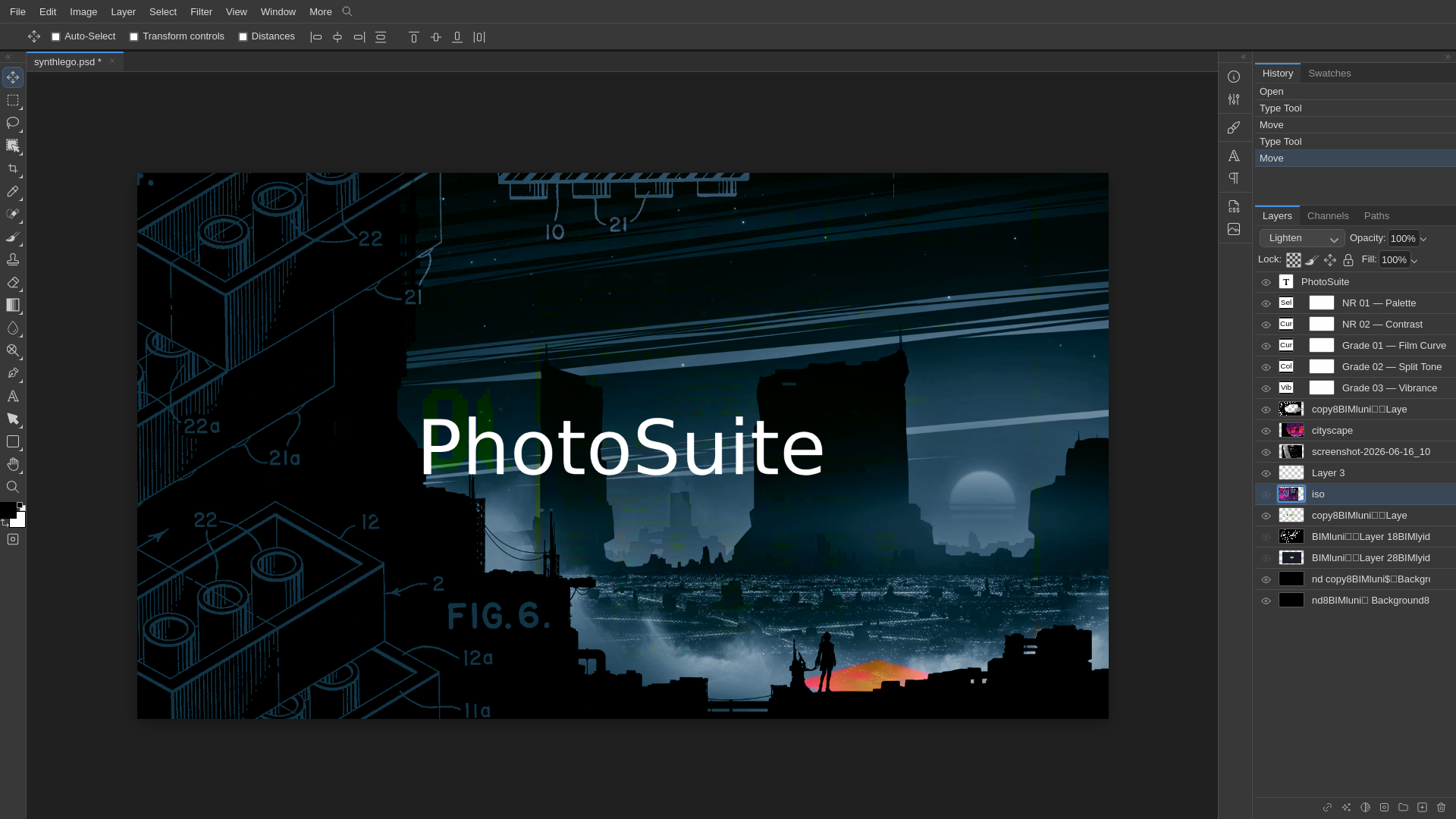
Anyway, nothing that can’t be fixed.
So there you have it. Not just one but four (!) viable candidates for Photoshop, three of them completely open-source. And there will probably be five more by the time I hit publish on this post. I’m also looking forward to testing the upcoming OmaImage by @X_Nosignal_X for example.
DISCLAIMER: I obviously can’t know whether any of these projects were definitely “vibe-coded”, but it also doesn’t matter. The whole purity tests around “didst thou or didst thou not use AI” are a bit silly. At the end of the day, it is safe to assume that developers will use any given tools available to them at any given time. And in 2026 that’s agents.
Whether you think that “shouldn’t be done” is a totally different question.
It certainly can be done. And I’ll be watching all of these projects with great interest.
Mind-boggling how far we’ve come.
UPDATE:
Here are some more:
- Patchy by Seth Robinson (OSS, even runs in browser) – handled my color adjustment layers and Smart Objects like a boss
- Xuan by silverling (OSS, Rust port of Compositor) – haven’t tested it
- ImageFlow by @ybouane – web only (for now), very far ahead in parity. no issues with my test PSD.