
Adaptation (2002)
There’s a type of writer who just writes. That ain’t me. Hand-cutting and gluing books to sell after readings. Uploading home-made PDFs to an FTP server at 2am. Spending hours in Berlin print-shops agonizing over the perfect glue-binding for a short story collection. The writing was never enough–I always needed to control the whole thing, soup to nuts.
Having written and published around twenty books for German learners over the last decade, my workflow went through many different iterations, from using OpenOffice (sue me …) to Calibre, Mobigen, InDesign, Sigil, Scrivener, Vellum, Papyrus and a bunch more. I’ve always been on the lookout for the perfect brain-to-world pipeline, with minimum amount of fiddling–and quite frankly–nonsense.
There’s nothing worse than fighting your own tools.
Some tools are very good at doing one thing–InDesign for print, Sigil for EPUBs. Others try to do everything for everyone. Some lock you into a polished but shallow box–great until you need something they didn’t anticipate. Others go the opposite direction: corkboards, character sheets, diary entries about what your protagonist had for breakfast. You stop writing and start managing the software.
So for many years I just went with using special tools for special purposes, which meant maintaining different versions for digital and print. Reliable, deterministic results, yes, but also two completely separate pipelines. Never-ending “version-tracking” (finalv2_final_FOR_REAL.epub)–wondering what got updated where, what still needed syncing. Not to mention all the copy-pasting of recurring elements like “About the Author”, “Newsletter” and whatnot. So much copy-pasting!
But the dream was always: one manuscript → typographically perfect PDF and crisply-coded EPUB.
And yes, many tools promise that. They just never clicked with me.
Bootstrapping Time
In early 2025, I’d finally had enough. I was just going to build my own publishing suite, from scratch.
The plan: write in plaintext (Markdown), export to PDF and EPUB from the same “codebase”.
How hard could it be? Quick 20-minute in-and-out adventure.
Well, it’s now mid-2026. A year and a half of iterating, rewriting, bug-fixing, and at least one complete breakdown over German hyphenation in PDFjs. It’s probably the longest time I’ve ever spent on a (non-web) software development project.
Anyway, I’ve just published my latest book, Horror in Heidelberg, volume 13 in the Dino lernt Deutsch series for German learners, which was completely written, formatted and typeset in this new pipeline. So I guess it works.
The core stack is pretty simple:
- Electron React/TS (works on Linux, Mac, Windows)
- react-markdown for Markdown processing
- epub-gen-memory for crisp EPUBs
- Typst for pixel-perfect print typesetting
Building The Skeleton
The first few weeks I wired up the basic skeleton: Obsidian-style “filesystem-as-database” approach where I can just drop introduction.md, chapter1.md into a folder and have that be my document outline. No SQLite or annoying abstractions.
Then I spent a lot of time on creating the actual writing area. Coming off years of working in WriteMonkey or iAWriter, I knew exactly what was needed: clean spacing, horizontal padding, nice fullscreen distraction-free mode, etc. (I’ve since recreated that same workflow in my terminal writing app Helowrite).
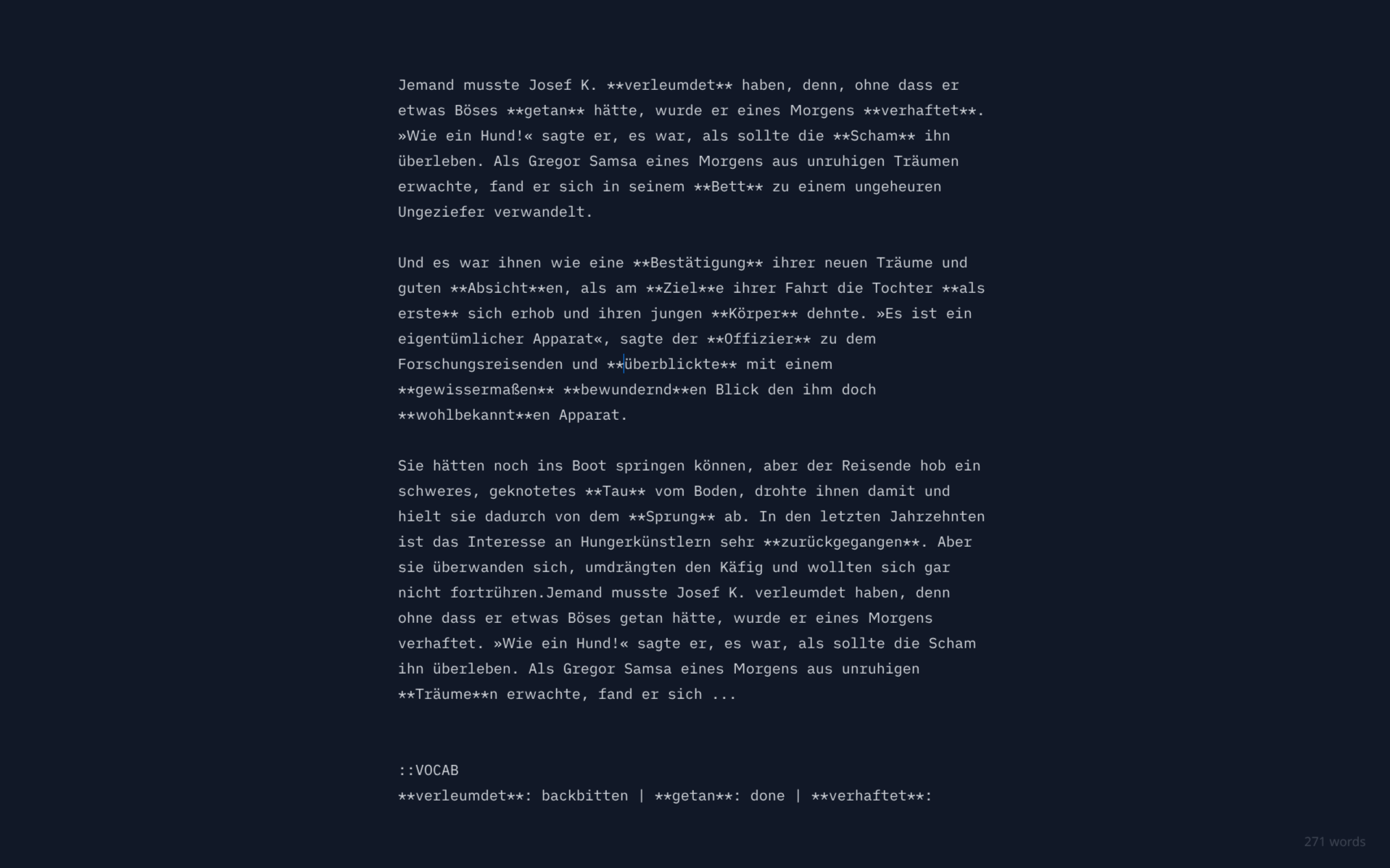
just words and a counter
So I opted for a bare-bones textarea approach. No complex dependencies like monaco or codemirror. That kept things simple, but it also meant writing a bunch of things like search/replace and highlighting from scratch. Anything for simplicity, right?
Next, I started work on a templating system. I’d manually copy-pasted copyright pages, TOCs, exercises, etc. a million times before. Automating it was long overdue.
I ended up writing a very basic template short-code language with a bunch of variables, so I could have a copyright.md that would look something like this:
**%%TITLE%%**
Copyright %%YEAR%%
[[EPUB: %%CLICKABLE_LINK%%]]
[[PDF: __CUSTOM_TYPOGRAPHIC_ELEMENT__]]
Obviously, images had to be processed separately for print & digital as well, with custom DPI and compression, etc. And then there was the whole footer, header, gutter business of typesetting.
It was my first time working with Typst–a steep learning curve, but nothing compared to LaTeX, a system I have spent a decade admiring from a safe distance.

So I wired up a simple Template.config, have my Electron app watch any changes in it and automatically hand it off to Typst to render changes in a PDF previewer, which made iteration extremely fast. Because let’s face it: constantly exporting a PDF just to see if you have the perfect value for a header margin or line-spacing is torture.
I haven’t seen other apps do this, but after experiencing “hot module reload” for PDF exports I never want to go back.
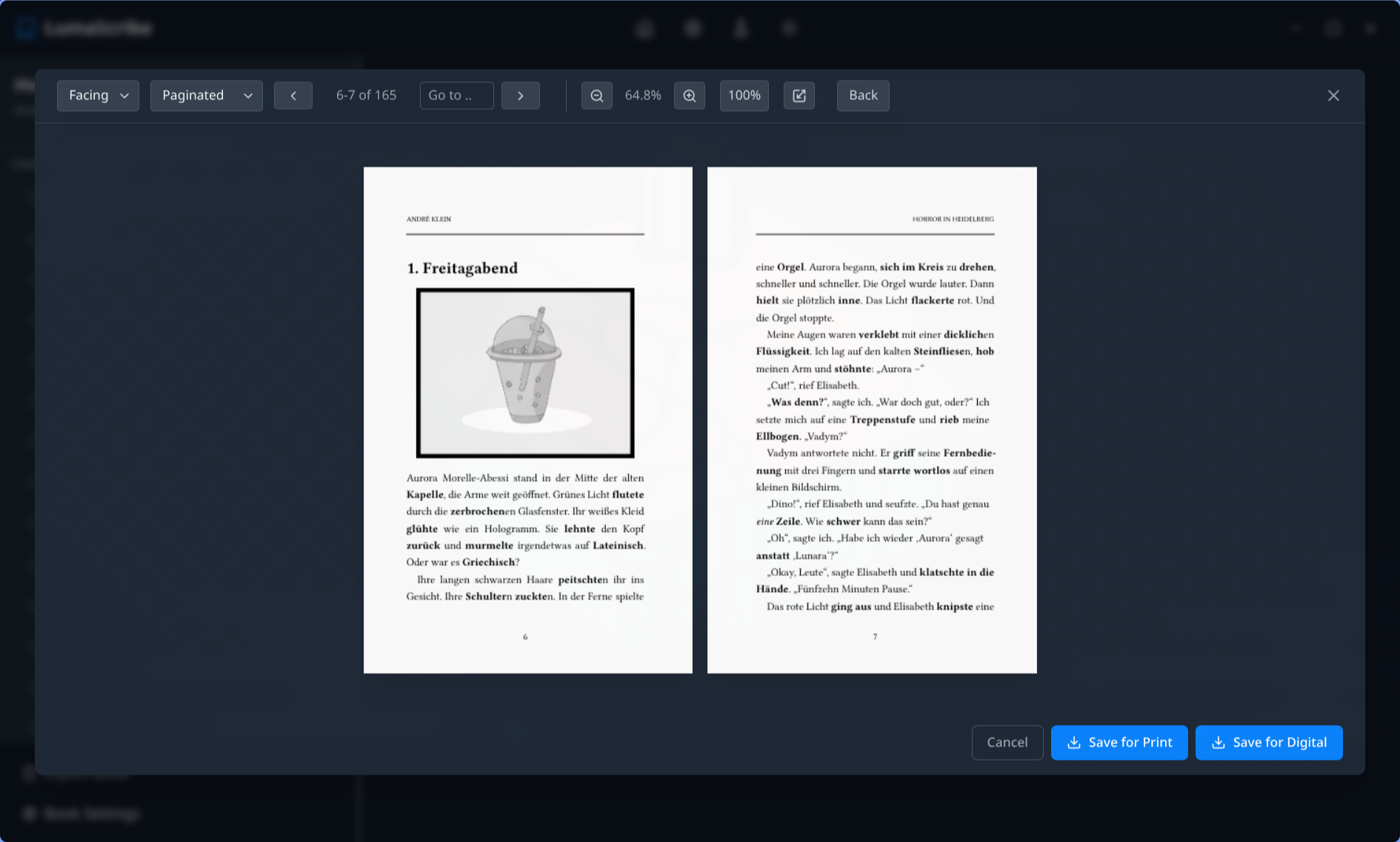
live PDF preview – export for print or digital
Once the pieces slowly started coming together, I had this dangerous feeling of: “damn, this might just work.” But a working prototype is just that. Would it survive a whole book-publishing run? Where were the critical faultlines, annoying bugs or perhaps show-stopping failures?
Only one way to find out …
Dogfooding Until It Clicks
I told myself: try to write and publish your next book with this tool. Either it’s going to work, you will fix all the bugs, or you will run into something critical, give up and just go back to the bifurcated road of maintaining separate versions for print and digital.
So anyway, I started dogfooding …
When you are developing something like a search function, you set up a keybind, have state of inputs and highlighting work and say: “There, done.”
But when you’re in the trenches in your fullscreen editor, just words on a page, you are not thinking like an engineer. You just need to quickly jump to a word, right now. If the search bar behaves even slightly weirdly, if it causes a micro-stutter, or if it messes with your cursor placement, you get irritated immediately.
The more I worked in it, the more annoyances I found and fixed. When something worked well enough that I stopped noticing it, when it became pure muscle memory, I moved on to the next problem.
And it wasn’t just pure UI-stuff either. I’d spent enough years on these types of materials to know exactly where the landmines were. For example, when creating glossaries with translations, it’s incredibly easy to accidentally mix up the order of words, or delete a definition that a later chapter still relies on.
So I ended up building a whole vocabulary manager tool that can not just keep track of this for me, but even provide a diagnostic view where I can see: “Oh, I’ve defined that word twice in chapter 2 and 4, or I’ve introduced the word in chapter 3 but only referenced it in glossary in chapter 4.”
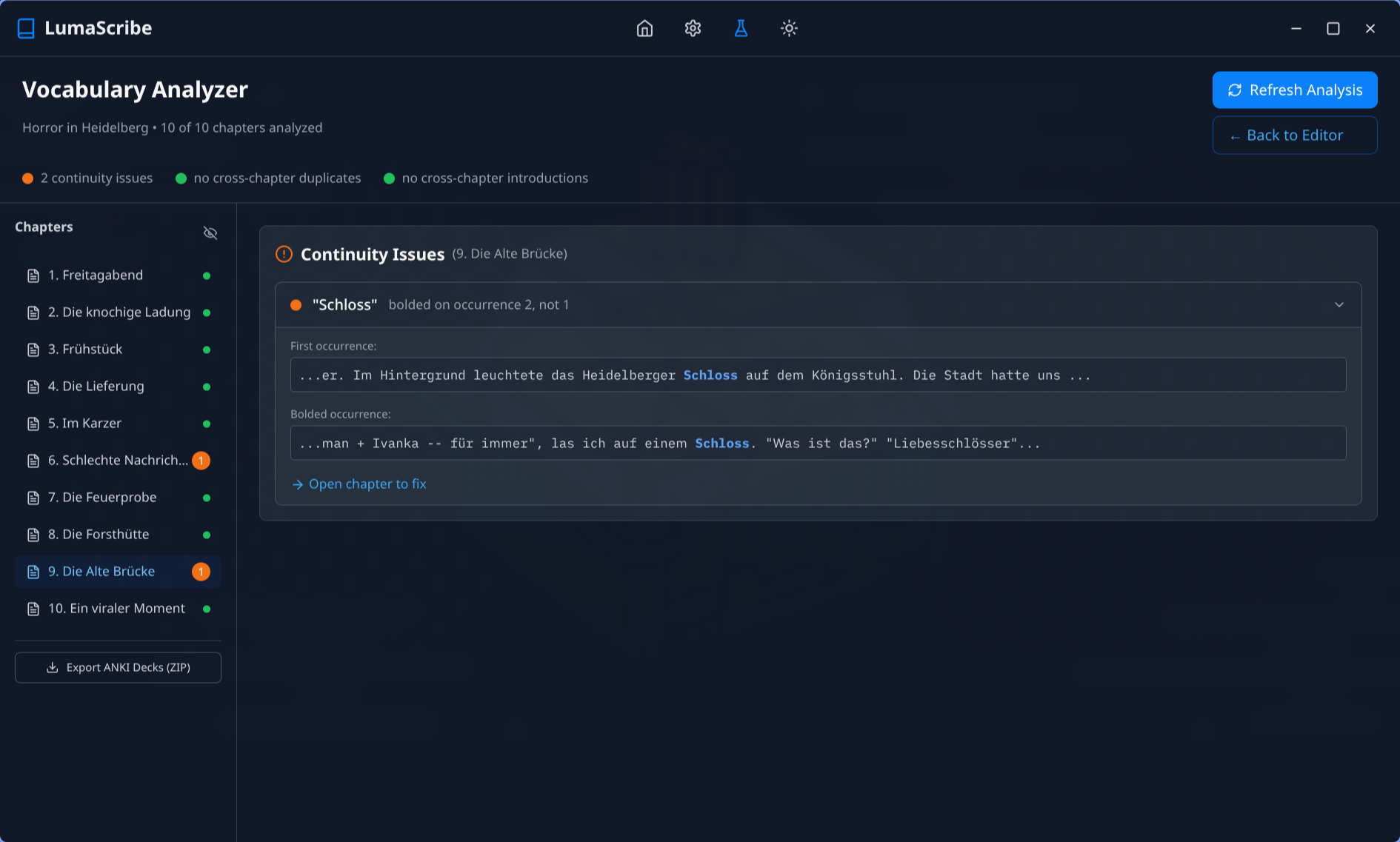
VocabAnalyzer – catch continuity errors in glossaries (and ANKI export)
Same with exercises. Many of my books have multiple-choice questions scattered throughout the book and an answer key at the end. Manually compiling the answer key, while possible, was time-consuming and prone to errors, especially when doing quick edits where a question had changed its position or correct answer. So I just wired up a tool that could do it deterministically: check all exercise chapters (based on template), grab the correct answers, print in answer key.
There are a bunch of other quality-of-life improvements like these I ended up integrating, not because they would be helpful for some theoretical “user”, but simply because I needed them, because they would relieve very particular kinds of pains I’ve been struggling with for longer than I’d care to admit.
This includes stuff like: automatic export of glossaries into ANKI .apkg decks, noun gender parsing from dictionary, LanguageTool integration for grammar and spellchecks, EPUB post-processing, on-the-fly image optimization for print/digital, automatic export of truncated preview PDFs and EPUBs, and a million other things.
10/10 – Would Dogfood Again
Looking back over the last couple of months working like this, I can now safely say that the software, while obviously not perfect (I know better than anyone where the bodies are buried), is battle-tested enough and works well enough that I just don’t want to go back to the old way anymore.
Perhaps one day I’ll end up sharing this tool with a wider audience. The “Markdown to typographically perfect PDF and EPUB” is still somewhat of a holy grail, especially for books with complex layouts.
Then again, for now I just want to keep writing and publishing with it and not start a second career as a software support guy.
But if there’s a takeaway: don’t settle for tools and workflows that fight you. Fight back by building your own. Push through the roadblocks, squash the bugs and dogfood until it clicks.
How hard can it be?
UPDATE:
I wrote this post in May. It is now mid-September. And this thing keeps growing faster than I can document here. Most importantly perhaps I finally started treating my books like my tools. They are now fully git-tracked. Each edit becomes a commit. No more wondering if last night’s edit is still in, or if it was on the other machine. No fighting bloated Word “track changes” workflows. It’s all right there. One diff away.
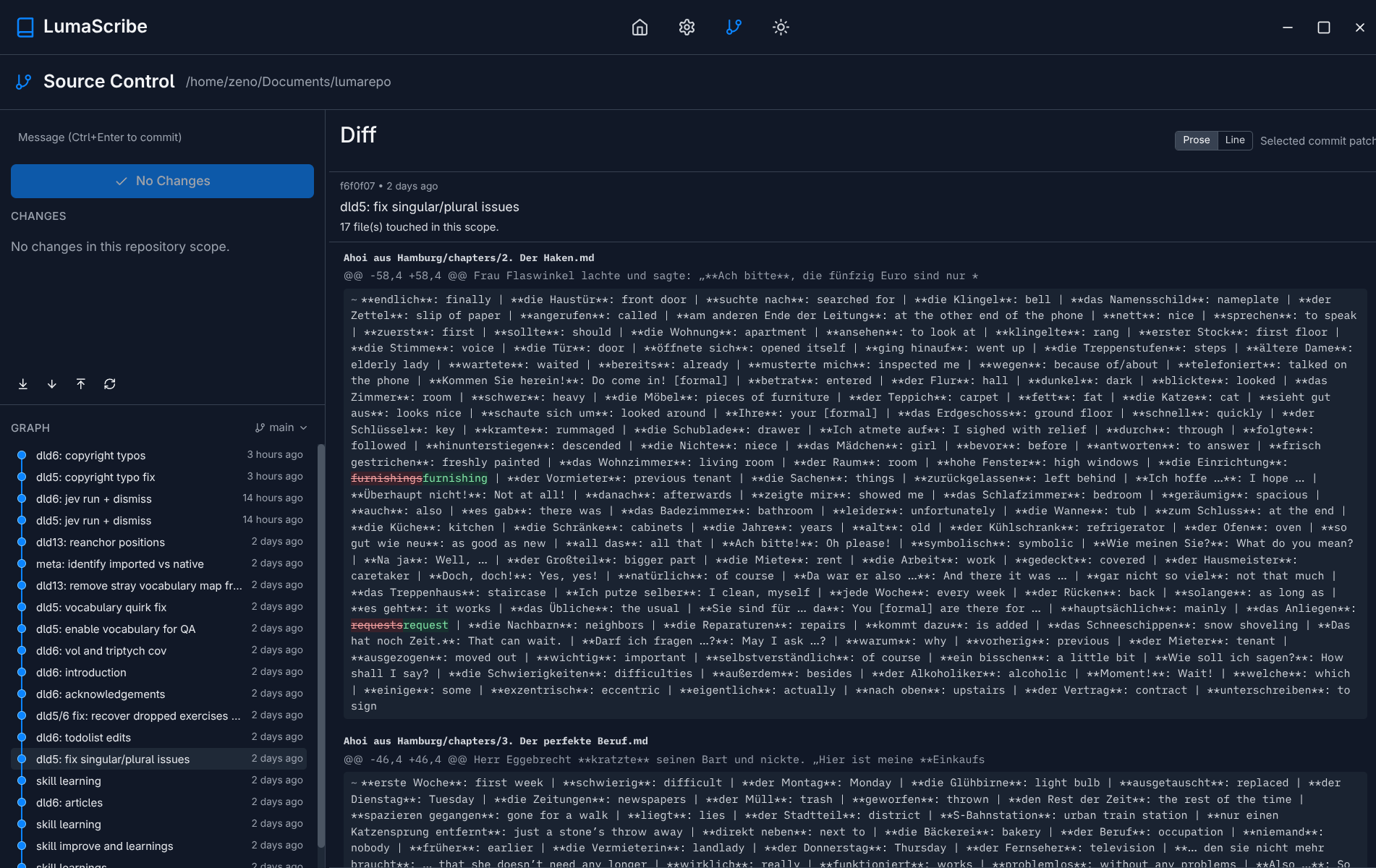
Next on my list is completely automated packaging and distribution directly to my shop and reading platform. Third party marketplaces like Amazon and Apple Books unfortunately don’t offer APIs, so I’ll make do with their less-than-ideal GUIs. But hey, at least the home-front can now be entirely automated. I’m also adding more quality control and automated testing for releases. Think of it like CI/CD for publishing.
And in a way it makes sense. The old “edition” enumeration of books is the grandfather of version control. Typos fixed. Sections added. References updated. Why not take a page out of the world of software development and do it properly? The tools already exist.