
I never understood all the hype around Obsidian as “second brain”, and the way some people throw around the German word Zettelkasten like some obscure grand cru vintage. As if the gritty business of memorization had a dress code.
(By the way, the German “Z” here is a hard “ts”, not soft “z” as in “zoom”, so at least get it right. But I digress …)
“Look”, the Obsidian snobs sneered from within their meticulously organized vaults: “If you don’t organize everything you do in markdown, you’ve already lost control of your life.”
I pressed “x” for doubt. Hard. And kept on pressing.
For years I was perfectly fine just stuffing various notes about my books into Evernote (before the SaaS-mandated nickel-and-diming started) or even just randomish important.txt and todo_BK.txt scattered around my local filesystem and cloud drives like demented breadcrumbs.
Then I started messing around with Linux last year, and suddenly, I had to keep track of a host of different configs, strange dotfile quirks, custom systemd services, cmdline flags, fstab mounts and a million other things.
So I gave Obsidian another try.
And no, before you ask — I haven’t gulped down the kool-aid. I still only use about 1% of Obsidian features. In fact, I barely ever open the app.
What I did embrace was the idea of “markdown files in folder” as a kind of poor man’s database. Similarly to how HTMX treats the DOM as state rather than a separate layer, with this paradigm of plaintext in folders and subfolders, the filetree is the database. Relations are mapped transparently, right there in front of you.
No proprietary lock-in. No esoteric SQL invocations. Extremely light-weight, low-friction and portable.
It was glorious.
And the more I worked in this way, the more I started applying this principle to other arenas. For example, I’ve been building a new publishing suite for my books where I can go from one codebase of raw markdown to typographically perfect PDFs (via TYPST) and EPUB.
Database? Nah. Just chapter1.md in a mybook folder. Done.
So, what do you Sync?
Since I barely use the official Obsidian app anymore, their proprietary sync mechanism is useless to me.
My “vaults” are just git repositories. Easy to commit, push and pull, from wherever I need.
And no, I am not letting Microsoft get their mittens on my “second brain”. No GitHub roundtrips here. I just have a bare repo sitting on my (diet)Pi, which acts as upstream source to all my devices. Just simple ssh git straight over local network.
And thanks to Tailscale I can now be “at home” even when away from home and push to my private local repo. It’s beautiful.
And for the purists: Yes, Tailscale is ‘managed’ WireGuard. But I’m here to get stuff done, not spend three days manually configuring handshake keys. It’s the same logic as using CachyOS over a manual Arch bootstrap. Pragmatism isn’t betrayal.
I was only left with one gap in that setup. Since the two biggest mobile operating systems (IOS/Android) are lobotomized bricks in terms of basic file system access, it makes it very difficult to run direct git operations, unless you jump through a million hoops.
So I ended up building a little React app (I know, famous last words …) that talks to a tiny gunicorn backend on my Pi. And now I can have direct access to my notes from anywhere in the world, completely local, no proprietary apps or any nonsense.
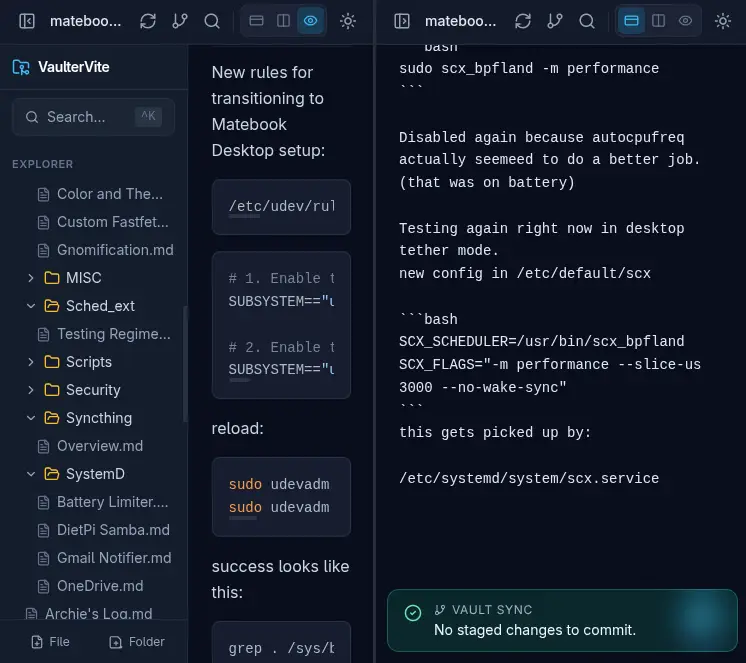
Not to make this seem like a “sponsored post” for Tailscale, but thanks to Tailscale’s HTTPS certificate feature, I was even able to install my little React app as a PWA, and now this thing just runs in standalone mode, virtually indistinguishable from a “real” app.
Pretty neat.
And I’m taking more notes than ever before. Linking, cross-linking, folders within folders. A glorious sprawling web of untethered information. And I’m never going back.
The Atomic Parade
As usual, all that glitters is not gold. The atomic file writing operations of this “markdown as database” paradigm can be problematic. On Linux this is very transparent where inotify is screaming at every daemon on the system. When you try to combine this with cloud stuff like abraunegg’s onedrive client, all hell breaks loose.
The official Obsidian app for some reason has still no way to disable auto-save or at least stagger saves, and this stuff can get chaotic fast.
Obsidian provides no mechanism to change how this save behaviour operates. This is a serious design limitation and should be treated as a bug in the application – abraunegg
Of Backups And Unicorns
For my new local-first Pi-based setup, I am literally my own one person Git provider. It’s insanely fast, but it also means, if the Pi goes bye bye, I lose my upstream.
But when Microsoft has a bad day and GitHub’s ‘Unicorn’ starts puking 500 errors, the entire world stops coding. When my Pi hangs, I just walk into the other room and power cycle it. I’d rather be my own sysadmin than a helpless passenger on a sinking corporate ship.
My mitigation is simple: the Pi just dumps encrypted vault backups in the middle of the night to an offsite server. So: multiple local copies, across different media/devices, plus offsite backup. Belt and suspenders.